Features
- Reading temperature with the accuracy of 0.1°C
- Adjust Setpoint and a hysteresis
- Exclusive android application
- Configure device using SMS and android application
- Define admin and users with different accessibility
- Using amplified ASK module with a range of 60 meters
Description
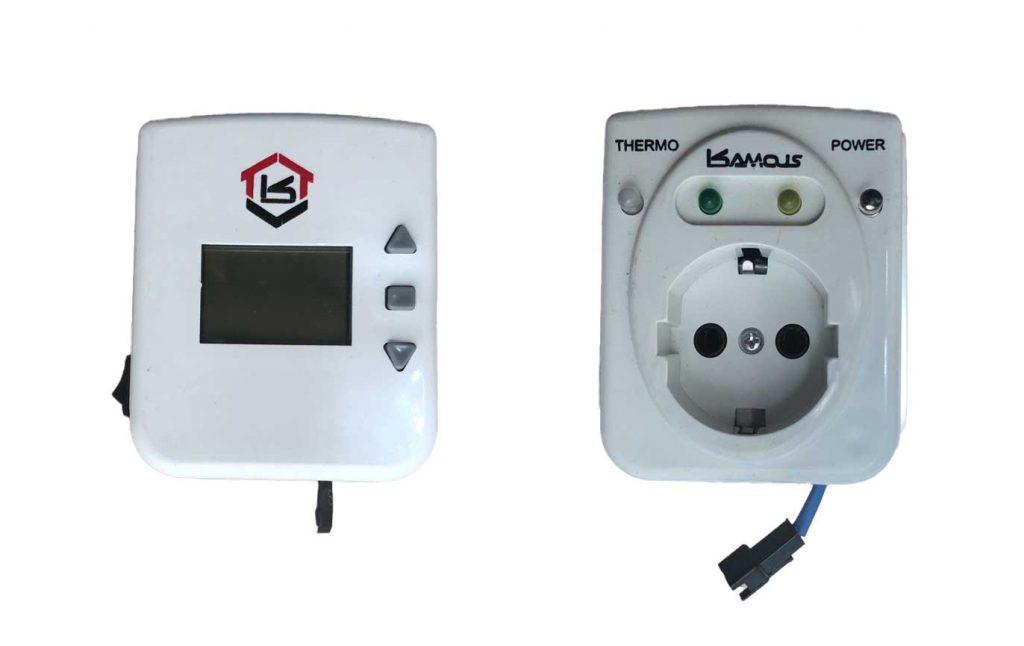
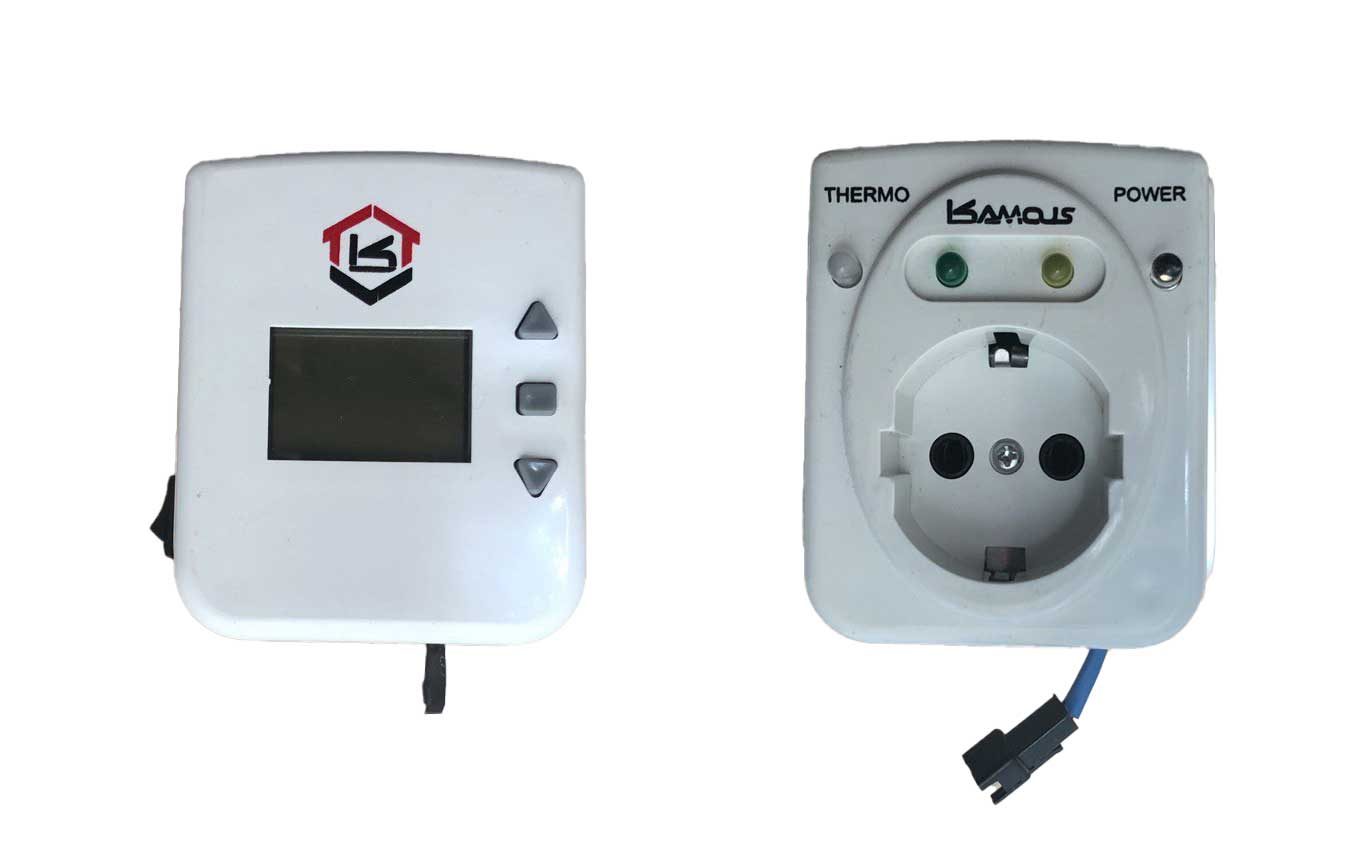
This system is designed to control the environment temperature by controlling the heating/cooling system. It consists of two parts. The first part is the main controller which can measure the temperature and show it on the LCD. It also has 3 keys to adjust the set point and the hysteresis of the set point. It is also possible to do these settings and more by using sensing an SMS using the android app which is developed for this device. you can find more information about the app in the following. After reading the temperature and comparing it to the set point, the main controller decides to turn ON/OFF the air conditioner and send this command to the other device using an ASK transmitter. The receiver (second part of the system) gets that data and turns ON/OFF the output relay which is connected to the external control input of the air conditioner system. The reason for dividing the system into two parts is that usually the air conditioner system is located somewhere outside of the room, so the main part can sense the room temperature and the other part can control the air conditioner system.
More technical Info
Main Controller
The main component of this device are:
- ATmega32 (CPU)
- SIM800C (GSM)
- RXB22 (ASK module)
- LCD (Nokia 1280)
The code is written in C using Atmel Studio IDE. For this project, I wrote an almost complete library for using SIM800C. I also made a library for the LCD with many useful functions for writing text in different sizes, drawing different shapes, drawing any binary images, and controlling the backlight. Using the LCD and also all of the user data required an amount of SRAM which become a challenge for me to optimize the code as much as possible. Another challenge for me was the ASK transmission because of the interference. So I wrote a library for using the RXB22 module to encrypt the data to prevent any interference.
Receiver
The main component of this device are:
- ATmega8 (CPU)
- RXB22 (ASK module)
The code is written in C using Atmel Studio IDE. After receiving data from the Main controller it decodes using the same algorithms of encrypting and then turning ON/OFF the air conditioner system based on the command.
Android application
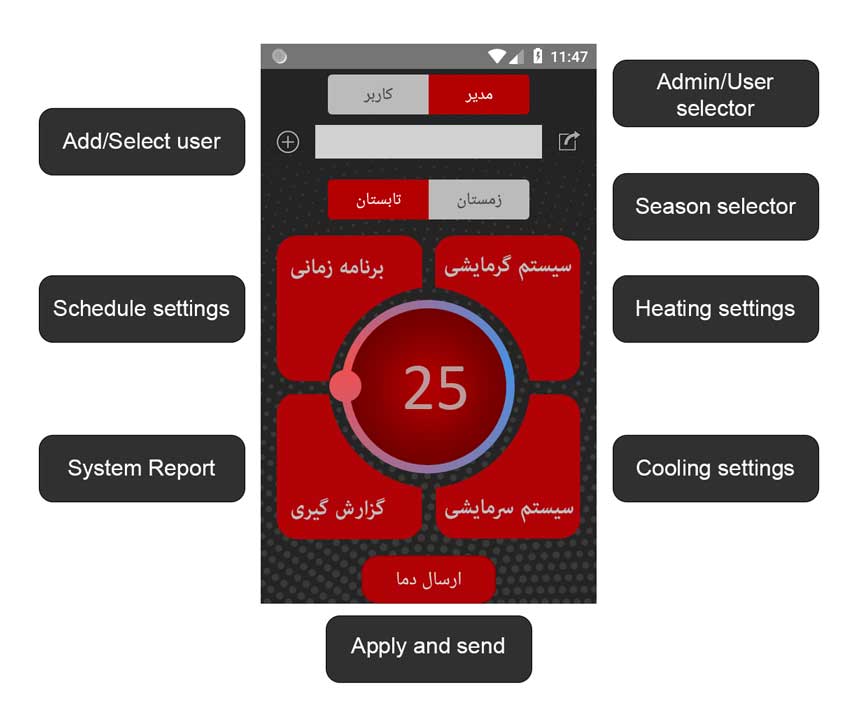
For configuring the setting there are two ways. The first is sending an SMS. In this method, the user should write all of the settings based on the pre-defined format which might be a little confusing. The second method is using the android app which does the same thing as sending an SMS but with a user-friendly GUI and faster than the first method. The main features of the application are defining up to 10 users and also defining an admin (who has more access and can define other users), defining the setpoint, defining the system mode (based on the season), defining up to 5 schedule times for all of the settings and controlling process. I used Android Studio for developing this application.
Windows application
This application is just for production. Since this system contains two devices that communicate with each other using ASK modulation, every receiver should have its own ID to prevent getting the wrong command from another transmitter. So I developed a windows application for setting UID for every device. This application also stores all of the fabrication processes so at the time of service in the future these data can help us. All of these data are stored on a server so they can be reached on every device that has internet access.
I developed this application using the C# language.